

Description
Download Angry IP Scanner – Fast, Free Network Discovery Tool
Overview
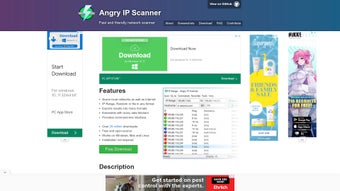
Angry IP Scanner is a lightweight, open‑source utility that makes network discovery fast and painless. Whether you’re an IT administrator, a security enthusiast, or just a home user trying to locate devices on your Wi‑Fi, this tool scans a user‑defined range of IP addresses and instantly lists every responsive host. What sets Angry IP Scanner apart is its cross‑platform capability: it runs on Windows, macOS, and Linux without the need for heavyweight dependencies. The scanner not only returns the IP address of each live machine but also gathers useful details such as the host name, MAC address, and the status of common ports (e.g., 22 SSH, 80 HTTP, 443 HTTPS). For users with sufficient privileges, the interface offers one‑click shortcuts to ping a host, open shared folders, launch a web browser, start an FTP session, or even run Telnet commands. All results are displayed in a clear, sortable table, allowing you to filter by open ports, response time, or device name. Because the application is free, regularly updated, and packaged in a portable .jar format, it’s an ideal choice for quick audits, troubleshooting network latency, or building an inventory of devices in a corporate environment. The combination of speed, simplicity, and extensibility makes Angry IP Scanner a go‑to solution for anyone needing reliable IP discovery without paying for expensive commercial suites.
Key Features
- Rapid Scanning Engine: Scans thousands of IP addresses per second using multi‑threaded processing, delivering results in real time.
- Cross‑Platform Support: Native binaries for Windows, macOS, and Linux; also available as a portable Java .jar file.
- Port Detection: Checks the most common ports (21 FTP, 22 SSH, 23 Telnet, 80 HTTP, 443 HTTPS, 445 SMB) and highlights open services.
- Rich Host Information: Retrieves host name, MAC address, NetBIOS name, and optional NetBIOS group data.
- One‑Click Actions: Direct links to ping, remote desktop, shared folder browsing, web browser, FTP client, and Telnet session.
- Export Options: Save scan results as CSV, TXT, or XML for further analysis or reporting.
- Customizable Plugins: Supports user‑written plugins written in Java or Groovy to extend scanning capabilities.
- Lightweight UI: Simple table‑based interface with sortable columns, searchable filters, and color‑coded status indicators.
- Secure Updates: Automatic signature‑verified updates ensure you always have the latest security patches.
- Free and Open Source: Licensed under GPL‑3.0, allowing community contributions and transparent code inspection.
Installation & Usage Guide
Getting Angry IP Scanner up and running is straightforward, regardless of your operating system. Follow the steps below for a hassle‑free installation.
Windows
- Visit the official download page and choose the Windows installer (EXE) or the portable ZIP package.
- If you download the installer, double‑click the .exe file and follow the on‑screen wizard. The installer will place a shortcut on your desktop and add the program to the Start menu.
- For the portable version, extract the ZIP archive to a folder of your choice. No admin rights are required; you can run
AngryIPScanner.exedirectly. - Upon first launch, you may be prompted to allow the application through Windows Firewall. Grant access for both private and public networks to ensure full scanning capability.
macOS
- Download the macOS DMG bundle from the official site.
- Open the DMG file and drag the Angry IP Scanner icon to the Applications folder.
- Right‑click the app, select “Open,” and confirm you want to run an app from an identified developer.
- If you prefer the portable .jar, ensure you have Java 8 or newer installed, then run
java -jar AngryIPScanner.jarfrom Terminal.
Linux
- Most distributions provide a .deb or .rpm package; download the one matching your distro.
- Install via your package manager, e.g.,
sudo dpkg -i angryipscanner_*.debfor Debian/Ubuntu. - Alternatively, download the .tar.gz archive, extract it, and launch the bundled
AngryIPScannerscript. - For the universal .jar, execute
java -jar AngryIPScanner.jarfrom a terminal.
Running a Scan
Once installed, launch the application and you’ll see a clean window with three main fields: “IP Range,” “Ports,” and “Thread Count.” Enter the IP range you wish to scan (e.g., 192.168.1.1‑192.168.1.254), select the ports you want to probe, and adjust the thread count based on your network speed (the default works well for most home networks). Click “Start” and watch as live hosts populate the table. Use the column headers to sort by response time, open ports, or device name. Right‑click any row to access the one‑click actions such as “Ping,” “Open Shared Folder,” or “Launch Browser.” When finished, export the results via the “File → Export” menu.
Compatibility & System Requirements
Angry IP Scanner is built with Java, which grants it exceptional compatibility across major operating systems. The official binaries are provided for:
- Windows 7, 8, 10, 11 (both 32‑bit and 64‑bit)
- macOS 10.13 (High Sierra) and later, including Apple Silicon (via Rosetta 2 for the Java version)
- Linux distributions such as Ubuntu, Debian, Fedora, openSUSE, and Arch Linux (both DEB and RPM packages)
Minimum hardware requirements are modest: a 1 GHz processor, 256 MB of RAM, and at least 50 MB of free disk space for the application files. For optimal performance on large subnets (e.g., /16 networks), a multi‑core CPU and 1 GB of RAM are recommended, especially when using a high thread count. The software requires Java 8 or newer; the bundled runtime in the installer ensures you have the correct version, but if you prefer the .jar file, verify your Java installation with java -version. Network permissions are also essential—run the scanner with administrative or root privileges if you need to probe privileged ports (below 1024) or access detailed NetBIOS information.
Pros & Cons
What Users Love
- Speed: Multi‑threaded engine makes large‑scale scans complete in seconds.
- Ease of Use: Intuitive UI requires no steep learning curve.
- Free & Open Source: No hidden fees; community can audit and extend the code.
- Cross‑Platform: Same experience on Windows, macOS, and Linux.
- Actionable Results: One‑click shortcuts streamline follow‑up tasks.
Areas for Improvement
- Limited Advanced Reporting: No built‑in graphical dashboards; users must export data for deeper analysis.
- Java Dependency for Portable Version: Requires a compatible Java runtime, which may be an extra step for some users.
- No Built‑in Credential Management: Scanning authenticated services (e.g., SMB shares) requires manual configuration.
Frequently Asked Questions
Is Angry IP Scanner safe to use on a corporate network?
Yes, the tool is safe when used responsibly. It only sends standard ping and port‑probe packets, which are typically allowed on internal networks. However, always obtain permission from your IT department before scanning large subnets to avoid triggering security alarms.
Can I scan IPv6 addresses with Angry IP Scanner?
The current stable release focuses on IPv4 scanning. IPv6 support is under development, and a beta version may be available in future releases.
Do I need administrative rights to detect open ports?
Scanning ports above 1024 works without elevated privileges. For privileged ports (e.g., 80, 443, 445), running the scanner as Administrator (Windows) or with sudo (Linux/macOS) ensures accurate detection.
How often are updates released?
The development team releases minor updates roughly every 2‑3 months, with major feature releases annually. The built‑in updater checks for new versions automatically.
Can I integrate Angry IP Scanner with other security tools?
Absolutely. The export feature (CSV, XML) allows you to feed scan results into SIEM platforms, Nessus, or custom scripts. Additionally, the plugin architecture lets you write Java or Groovy extensions that interact directly with other APIs.
Conclusion & Call to Action
Angry IP Scanner delivers a perfect blend of speed, simplicity, and cross‑platform flexibility, making it an essential utility for anyone tasked with network discovery. Its free, open‑source nature means you can adopt it in both personal and enterprise environments without worrying about licensing costs. While it lacks advanced reporting dashboards, the core scanning capabilities are robust enough for most day‑to‑day tasks, and the export options let you extend the data wherever you need it. If you’re looking for a reliable, secure, and constantly updated IP scanner, Angry IP Scanner is a top‑tier choice.
Ready to start scanning? Download Angry IP Scanner now and begin mapping your network in seconds. Remember to run the tool with appropriate permissions and keep it updated for the best performance and security.
Guides & Tutorials for Angry IP Scanner
How to install Angry IP Scanner
- Click the Preview / Download button above.
- Once redirected, accept the terms and click Install.
- Wait for the Angry IP Scanner download to finish on your device.
How to use Angry IP Scanner
This software is primarily used for its core features described above. Open the app after installation to explore its capabilities.
User Reviews for Angry IP Scanner 0
No reviews found





.webp)